Fullcalendar Month Change Event Example
Development teams using “Fullcalendar Month Change Event Example” in client or internal work can use windows installation considerations to document project effort and hand-offs, then assess the record against delivered functionality, tests and agreed outcomes.
Validate current syntax, security guidance and supported versions through GitHub before using the example in production.
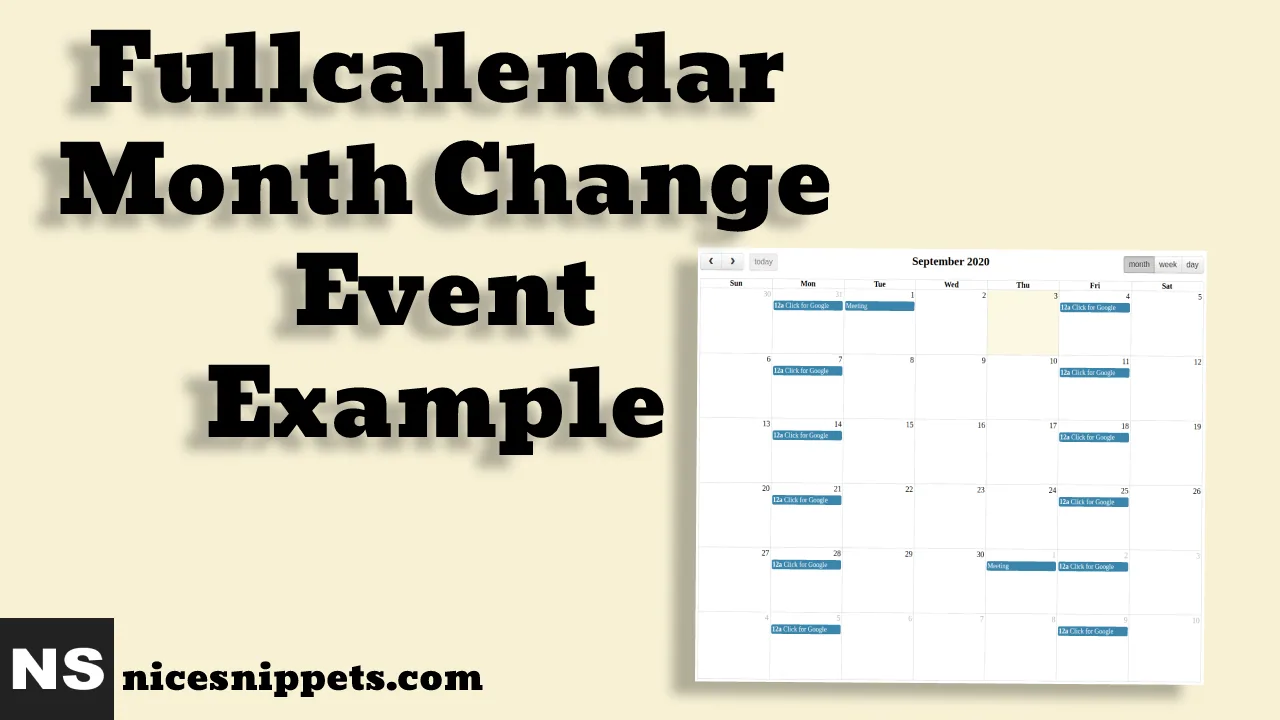
Hi Guys,
In this short tutorial we will cover an fullcalendar month change event example. let’s discuss about fullcalendar month change event. i would like to show you fullcalendar add month change even example code. This article will give you simple example of fullcalendar month change event basic example.
I will show the example of fullcalendar month change event.We will show basic example of fullcalendar month change event. we will create fullcalendar add extra event using version you can get code of add month change event in fullcalendar. we give you example of step by step fullcalendar add month change event , you can simple copy bellow code and use in your project. It's pretty easy and simple example of fullcalendar add month change event.In this example, you can easy to create fullcalendar month change event.
Here the example of fullcalendar month change event.
Example
<!DOCTYPE html>
<html>
<head>
    <meta charset="utf-8">
    <meta name="viewport" content="width=device-width">
    <title>fullcalendar month change event</title>
    <link rel="stylesheet" href="https://cdnjs.cloudflare.com/ajax/libs/fullcalendar/3.1.0/fullcalendar.css" />
</head>
<style type="text/css">
  #calendar {
    width:80%;
    margin: 20px auto;
  }
</style>
<body>
    <div id="calendar"></div>
</body>
<script src="https://cdn.jsdelivr.net/momentjs/2.14.1/moment-with-locales.min.js"></script>
<script src="https://code.jquery.com/jquery-2.1.4.js"></script>
<script src="https://cdnjs.cloudflare.com/ajax/libs/fullcalendar/3.1.0/fullcalendar.js"></script>
<script type="text/javascript">
  var defaultEvents = [
    {
      // Just an event
      title: 'Long Event',
      start: '2017-02-07',
      end: '2017-02-10',
      className: 'scheduler_basic_event'
    },
    {
      // Custom repeating event
      id: 999,
      title: 'Repeating Event',
      start: '2017-02-09T16:00:00',
      className: 'scheduler_basic_event'
    },
    {
      // Custom repeating event
      id: 999,
      title: 'Repeating Event',
      start: '2017-02-16T16:00:00',
      className: 'scheduler_basic_event'
   },
    {
      // Just an event
      title: 'Lunch',
      start: '2017-02-12T12:00:00',
      className: 'scheduler_basic_event',
    },
    {
      // Just an event
      title: 'Happy Hour',
      start: '2017-02-12T17:30:00',
      className: 'scheduler_basic_event'
    },
    {
      // Monthly event
      id: 111,
      title: 'Meeting',
      start: '2000-01-01T00:00:00',
      className: 'scheduler_basic_event',
      repeat: 1
    },
    {
      // Annual avent
      id: 222,
      title: 'Birthday Party',
      start: '2017-02-04T07:00:00',
      description: 'This is a cool event',
      className: 'scheduler_basic_event',
      repeat: 2
    },
    {
      // Weekday event
      title: 'Click for Google',
      url: 'http://google.com/',
      start: '2017-02-28',
      className: 'scheduler_basic_event',
      dow: [1,5]
    }
];
// Any value represanting monthly repeat flag
var REPEAT_MONTHLY = 1;
// Any value represanting yearly repeat flag
var REPEAT_YEARLY = 2;


$('#calendar').fullCalendar({
    header: {
    left: 'prev,next today',
    center: 'title',
    right: 'month,agendaWeek,agendaDay'
  },
    editable: true,
    // defaultDate: '2017-02-16',
  eventSources: [defaultEvents],
    dayRender: function( date, cell ) {
    // Get all events
    var events = $('#calendar').fullCalendar('clientEvents').length ? $('#calendar').fullCalendar('clientEvents') : defaultEvents;
    var nextMonth = $('#calendar').fullCalendar('getView');
  console.log(nextMonth.title);
    // Start of a day timestamp
    var dateTimestamp = date.hour(0).minutes(0);
    var recurringEvents = new Array();


    // find all events with monthly repeating flag, having id, repeating at that day few months ago
      var monthlyEvents = events.filter(function (event) {
          return event.repeat === REPEAT_MONTHLY &&
          event.id &&
          moment(event.start).hour(0).minutes(0).diff(dateTimestamp, 'months', true) % 1 == 0
      });
      // find all events with monthly repeating flag, having id, repeating at that day few years ago
      var yearlyEvents = events.filter(function (event) {
          return event.repeat === REPEAT_YEARLY &&
          event.id &&
          moment(event.start).hour(0).minutes(0).diff(dateTimestamp, 'years', true) % 1 == 0
      });
      recurringEvents = monthlyEvents.concat(yearlyEvents);
      $.each(recurringEvents, function(key, event) {
        var timeStart = moment(event.start);
        // Refething event fields for event rendering
        var eventData = {
          id: event.id,
          allDay: event.allDay,
          title: event.title,
          description: event.description,
          start: date.hour(timeStart.hour()).minutes(timeStart.minutes()).format("YYYY-MM-DD"),
          end: event.end ? event.end.format("YYYY-MM-DD") : "",
          url: event.url,
          className: 'scheduler_basic_event',
          repeat: event.repeat
        };
        // Removing events to avoid duplication
        $('#calendar').fullCalendar( 'removeEvents', function (event) {
            return eventData.id === event.id &&
            moment(event.start).isSame(date, 'day');
        });
        // Render event
        $('#calendar').fullCalendar('renderEvent', eventData, true);
    });
  }
});
</script>
</html>
It will help you...
- How to Use the groupmod Command in Linux?
- How to Restrict Access to a Folder with htaccess?
- How to Zip UnZip Files And Directories In Linux using Command Line?
- Laravel 8 Refresh DataTable Without Reloading Page
- How to Model Disable Primary Key & Auto Increment Tutorial?
- How to Remove WordPress Version Number?
- How to Count Total Number of Bits in Number?
- Flutter Route and Navigation Example