React js File Upload Example With Axios
When “React js File Upload Example With Axios” moves through design, development and browser testing, benefits allowing employees flexible schedule work flexibility can clarify hand-offs and time spent on revisions while leaving code quality, accessibility and released behaviour as the real measures of success.
For API changes, browser support and current usage patterns, compare the snippet with the official React website before adopting it in production.
Hello Guys,
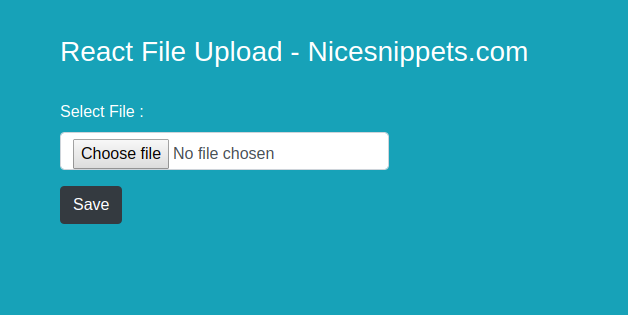
This tutorial will provide example of react js file upload component. you can understand a concept of react js file upload to server. you can see react js upload a file. This post will give you simple example of react js ajax file upload. Follow bellow tutorial step of reactjs file upload formdata.
In react upload image with axios first you have to install axios in your project. then we got one file input in form. after that on file input change you have to fire one function. in this function we set file object in state. then we fire api with axios on form submit button.
Install Axios Command
npm install axios --save/src/App.js file
import React from 'react';
import './App.css';
import FileUpload from './FileUpload';
function App() {
  return (
    <div>


        <FileUpload />
    </div>
  );
}
export default App;
/src/FileUpload.js file
import React from 'react'
import axios from 'axios';
class FileUpload extends React.Component{
    constructor(){
        super();
        this.state = {
            selectedFile:'',
        }
        this.handleInputChange = this.handleInputChange.bind(this);
    }
    handleInputChange(event) {
        this.setState({
            selectedFile: event.target.files[0],
          })
    }
    submit(){
        const data = new FormData()
        data.append('file', this.state.selectedFile)
        console.warn(this.state.selectedFile);
        let url = "http://localhost:8000/upload.php";
        axios.post(url, data, { // receive two parameter endpoint url ,form data
        })
        .then(res => { // then print response status
            console.warn(res);
        })
    }
    render(){
        return(
            <div>
                <div className="row">
                    <div className="col-md-6 offset-md-3">
                        <br /><br />
                            <h3 className="text-white">React File Upload - Nicesnippets.com</h3>
                            <br />
                            <div className="form-row">
                                <div className="form-group col-md-6">
                                    <label className="text-white">Select File :</label>
                                    <input type="file" className="form-control" name="upload_file" onChange={this.handleInputChange} />
                                </div>
                            </div>
                            <div className="form-row">
                                <div className="col-md-6">
                                    <button type="submit" className="btn btn-dark" onClick={()=>this.submit()}>Save</button>
                                </div>
                            </div>
                    </div>
                </div>
            </div>
        )
    }
}
export default FileUpload;
/upload-react/upload.php file
    header("Access-Control-Allow-Origin: *");
    header("Access-Control-Allow-Methods: PUT, GET, POST");
    header("Access-Control-Allow-Headers: Origin, X-Requested-With, Content-Type, Accept");


    // Folder Path For Ubuntu
    // $folderPath = "/var/www/upload-react/";
    // Folder Path For Window
    $folderPath = "upload-react/";


    $file_tmp = $_FILES['file']['tmp_name'];
    $file_ext = strtolower(end(explode('.',$_FILES['file']['name'])));
    $file = $folderPath . uniqid() . '.'.$file_ext;
    move_uploaded_file($file_tmp, $file);


   return json_encode(['status'=>true]);
?>- How to Reactive Forms with Validation in Angular 18?
- Reactjs Props Example With Function and Class Components
- React Color Picker Example With Change Event
- How to Hide and Show Multiple Div in React ?
- How to Resize, Crop, Compress Images Before Uploading In ReactJS?
- How to Send Data From React to Node JS Express?
- Reactjs String Replace Example
- How To Create Class Component In React JS