PHP Crop Image Before Upload using Cropper JS
Teams applying “PHP Crop Image Before Upload using Cropper JS” in a production project can use the complete guide to record implementation, review and debugging time, then compare that effort with tests and shipped functionality instead of treating activity as performance by itself.
Before copying the example into a live application, confirm version-specific behaviour with the PHP project and test it against the project’s actual database and runtime.
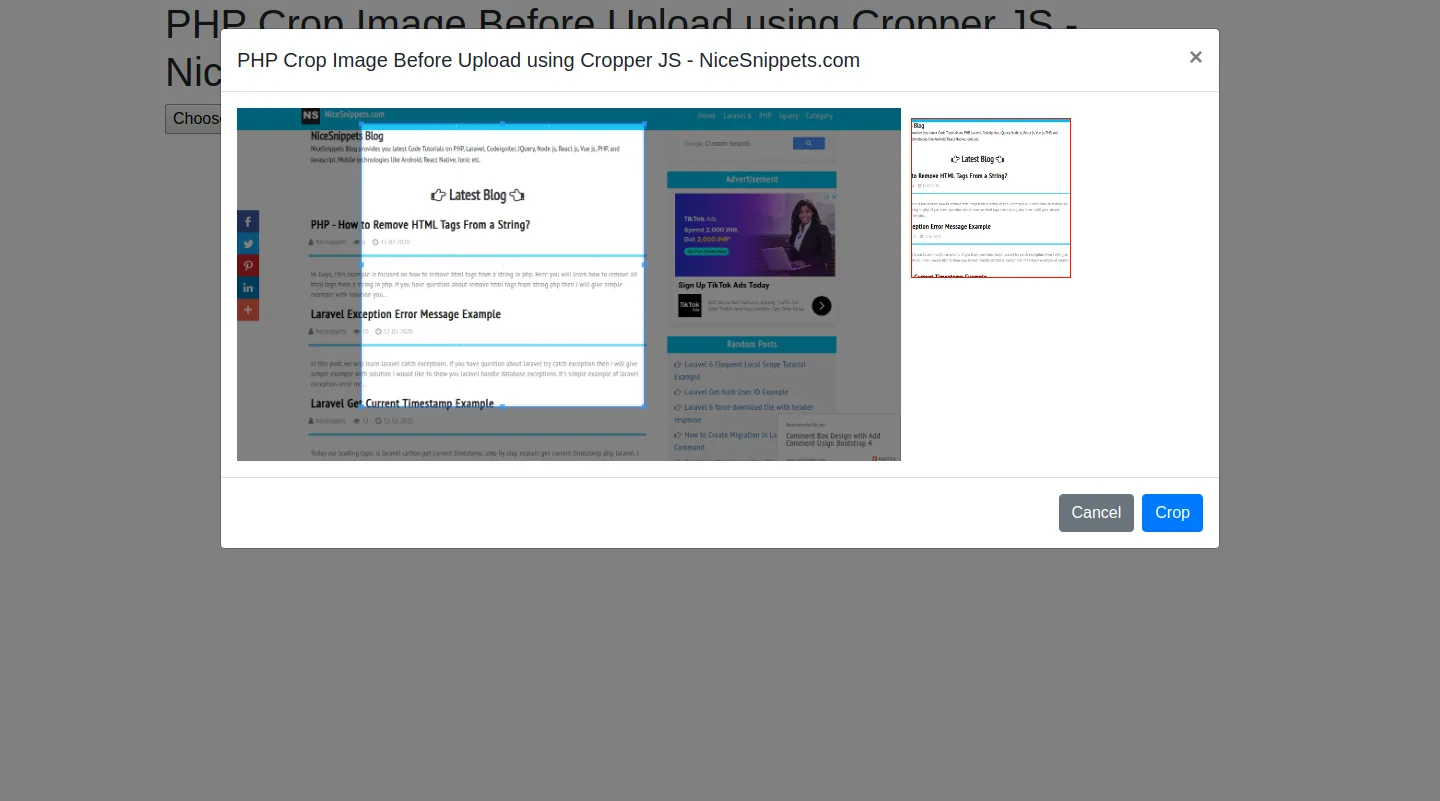
In this tutorial, you will learn Php cropper js example. this example will help you Php crop image before upload. This tutorial will give you simple example of crop image using cropper.js Php. you will learn Php crop image before upload cropper.js. Let's see bellow example cropper js Php example.
Cropper.js is an easy to use JavaScript/jQuery plugin for image cropping with support of live previews and custom aspect ratio.this plugin provide features move,zoom,rotate,Fully responsive and mobile-friendly.
I will use model view in example. model display to upload image and crop image preview.follow bellow step example.
Example :
index.html
<!DOCTYPE html>
<html>
<head>
    <title>PHP Crop Image Before Upload using Cropper JS</title>
    <meta name="_token" content="{{ csrf_token() }}">
    <script src="https://cdnjs.cloudflare.com/ajax/libs/jquery/3.4.1/jquery.js" integrity="sha256-WpOohJOqMqqyKL9FccASB9O0KwACQJpFTUBLTYOVvVU=" crossorigin="anonymous"></script>
    <link rel="stylesheet" href="https://cdnjs.cloudflare.com/ajax/libs/twitter-bootstrap/4.4.1/css/bootstrap.min.css" crossorigin="anonymous" />
    <script src="https://cdnjs.cloudflare.com/ajax/libs/twitter-bootstrap/4.4.1/js/bootstrap.min.js" integrity="sha256-WqU1JavFxSAMcLP2WIOI+GB2zWmShMI82mTpLDcqFUg=" crossorigin="anonymous"></script>
    <link rel="stylesheet" href="https://cdnjs.cloudflare.com/ajax/libs/cropperjs/1.5.6/cropper.css" integrity="sha256-jKV9n9bkk/CTP8zbtEtnKaKf+ehRovOYeKoyfthwbC8=" crossorigin="anonymous" />
    <script src="https://cdnjs.cloudflare.com/ajax/libs/cropperjs/1.5.6/cropper.js" integrity="sha256-CgvH7sz3tHhkiVKh05kSUgG97YtzYNnWt6OXcmYzqHY=" crossorigin="anonymous"></script>
</head>
<style type="text/css">
img {
  display: block;
  max-width: 100%;
}
.preview {
  overflow: hidden;
  width: 160px;
  height: 160px;
  margin: 10px;
  border: 1px solid red;
}
.modal-lg{
  max-width: 1000px !important;
}
</style>
<body>
<div class="container">
    <h1>PHP Crop Image Before Upload using Cropper JS - NiceSnippets.com</h1>
    <form method="post">
    <input type="file" name="image" class="image">
    </form>
</div>
<div class="modal fade" id="modal" tabindex="-1" role="dialog" aria-labelledby="modalLabel" aria-hidden="true">
  <div class="modal-dialog modal-lg" role="document">
    <div class="modal-content">
      <div class="modal-header">
        <h5 class="modal-title" id="modalLabel">PHP Crop Image Before Upload using Cropper JS - NiceSnippets.com</h5>
        <button type="button" class="close" data-dismiss="modal" aria-label="Close">
          <span aria-hidden="true">×</span>
        </button>
      </div>
      <div class="modal-body">
        <div class="img-container">
            <div class="row">
                <div class="col-md-8">
                    <img id="image" src="https://avatars0.githubusercontent.com/u/3456749">
                </div>
                <div class="col-md-4">
                    <div class="preview"></div>
                </div>
            </div>
        </div>
      </div>
      <div class="modal-footer">
        <button type="button" class="btn btn-secondary" data-dismiss="modal">Cancel</button>
        <button type="button" class="btn btn-primary" id="crop">Crop</button>
      </div>
    </div>
  </div>
</div>
</div>
</div>
<script>
var $modal = $('#modal');
var image = document.getElementById('image');
var cropper;


$("body").on("change", ".image", function(e){
    var files = e.target.files;
    var done = function (url) {
      image.src = url;
      $modal.modal('show');
    };
    var reader;
    var file;
    var url;
    if (files && files.length > 0) {
      file = files[0];
      if (URL) {
        done(URL.createObjectURL(file));
      } else if (FileReader) {
        reader = new FileReader();
        reader.onload = function (e) {
          done(reader.result);
        };
        reader.readAsDataURL(file);
      }
    }
});
$modal.on('shown.bs.modal', function () {
    cropper = new Cropper(image, {
    aspectRatio: 1,
    viewMode: 3,
    preview: '.preview'
    });
}).on('hidden.bs.modal', function () {
   cropper.destroy();
   cropper = null;
});
$("#crop").click(function(){
    canvas = cropper.getCroppedCanvas({
      width: 160,
      height: 160,
    });
    canvas.toBlob(function(blob) {
        url = URL.createObjectURL(blob);
        var reader = new FileReader();
         reader.readAsDataURL(blob);
         reader.onloadend = function() {
            var base64data = reader.result;


            $.ajax({
                type: "POST",
                dataType: "json",
                url: "upload.php",
                data: {image: base64data},
                success: function(data){
                    console.log(data);
                    $modal.modal('hide');
                    alert("success upload image");
                }
              });
         }
    });
})
</script>
</body>
</html>
upload.php
<?php
        $folderPath = 'upload/';
        $image_parts = explode(";base64,", $_POST['image']);
        $image_type_aux = explode("image/", $image_parts[0]);
        $image_type = $image_type_aux[1];
        $image_base64 = base64_decode($image_parts[1]);
        $file = $folderPath . uniqid() . '.png';
        file_put_contents($file, $image_base64);
        echo json_encode(["image uploaded successfully."]);
?>
You will create to upload folder in root directory
It will help you...
- How To Use Php Conditional Statement Example
- How to Check if String Contains Regex in PHP?
- PHP Array_column() Function Example
- PHP Generate List of Random Numbers Between 0 and 100 Example
- How to User Login with Facebook in PHP?
- How to Explode Every Character into Array Using PHP Example?
- PHP Form Validation Tutorial
- PHP Convert XML to JSON Example